ESP32 PC Stats Monitor
Difficulty:Medium
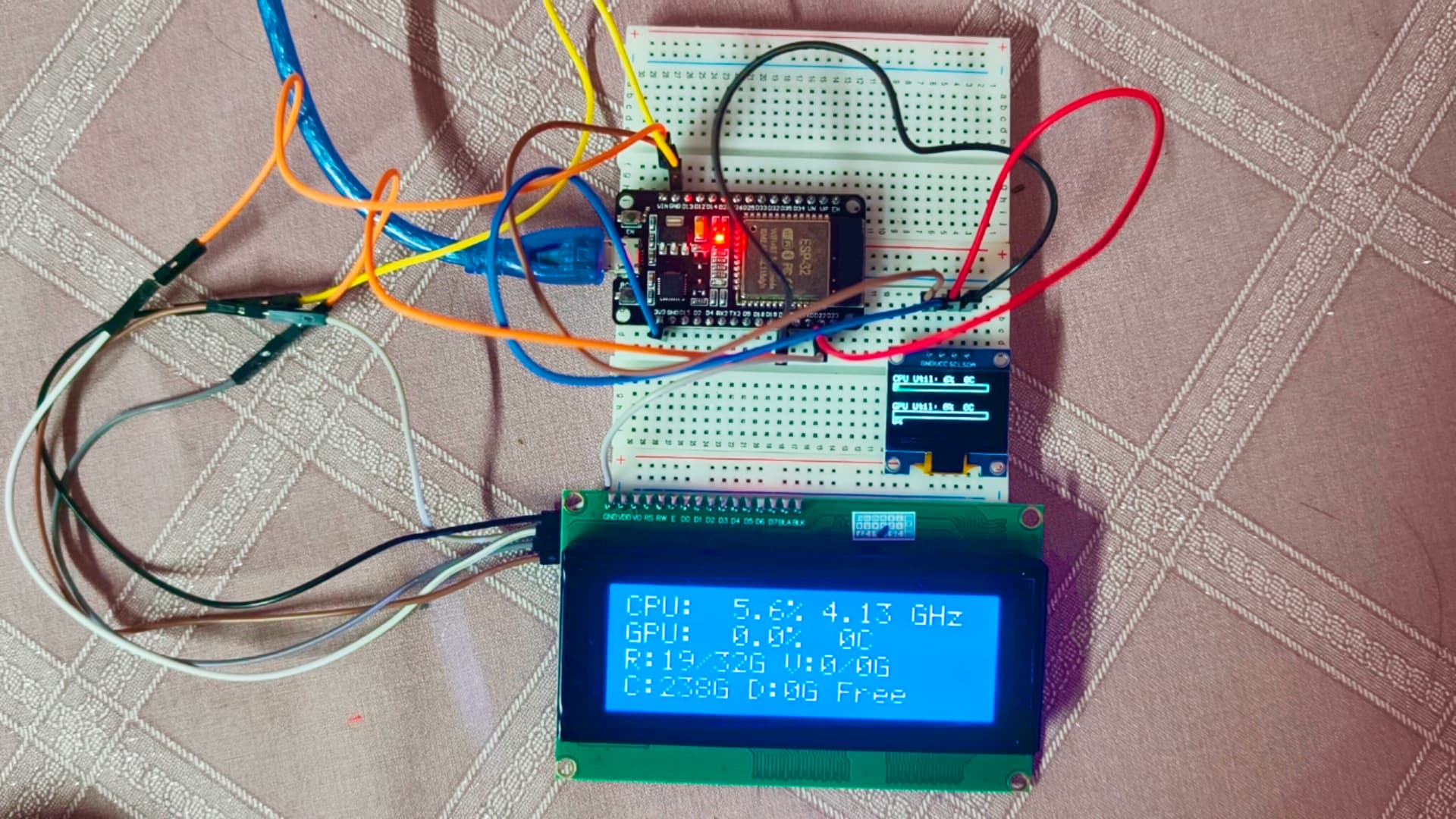
An ESP32-based hardware monitor that receives real-time PC statistics via a Python agent and displays them on an OLED and LCD screen.
Project Overview
A complete hardware monitor solution displaying live statistics from a Windows PC. The ESP32 reads data over USB Serial sent by a lightweight Python agent.
Setup
1. ESP32 Firmware (PlatformIO)
- Open
pc_monitor/folder in VSCode with PlatformIO - Build & Upload →
platformio.inihandles all libraries - ESP32 shows "Waiting for PC..." until the Python agent connects
2. Python Agent (Windows PC)
Install dependencies:
pip install pyserial psutil wmiInstall LibreHardwareMonitor:
- Download from GitHub
- Run
LibreHardwareMonitor.exeas Administrator (required for temp sensors) - Important: In the app, click Options → Remote Web Server → Run (Port 8085). The Python script relies on this to bypass Windows WMI bugs.
- Leave it running in the background
Run the agent:
python pc_agent.pyAuto-detects the ESP32 COM port. Override with --port COM5
What each display shows
20x4 LCD
- Row 0: CPU Load% and Clock GHz
- Row 1: GPU Load% and Temp °C
- Row 2: RAM & VRAM Used / Total GB
- Row 3: C: and D: drive free space GB
0.96" OLED
- Top half: CPU Util progress bar + current temp
- Bottom half: GPU Util progress bar + current temp
- Alert icon (!): Appears if CPU or GPU temp ≥ 85°C